Select the words. Type what they should say.
Press T, select words on the page and type the new wording. The developer’s agent gets Change “this” to “that”, with the text around it, so it can find those words in the code and change only them.
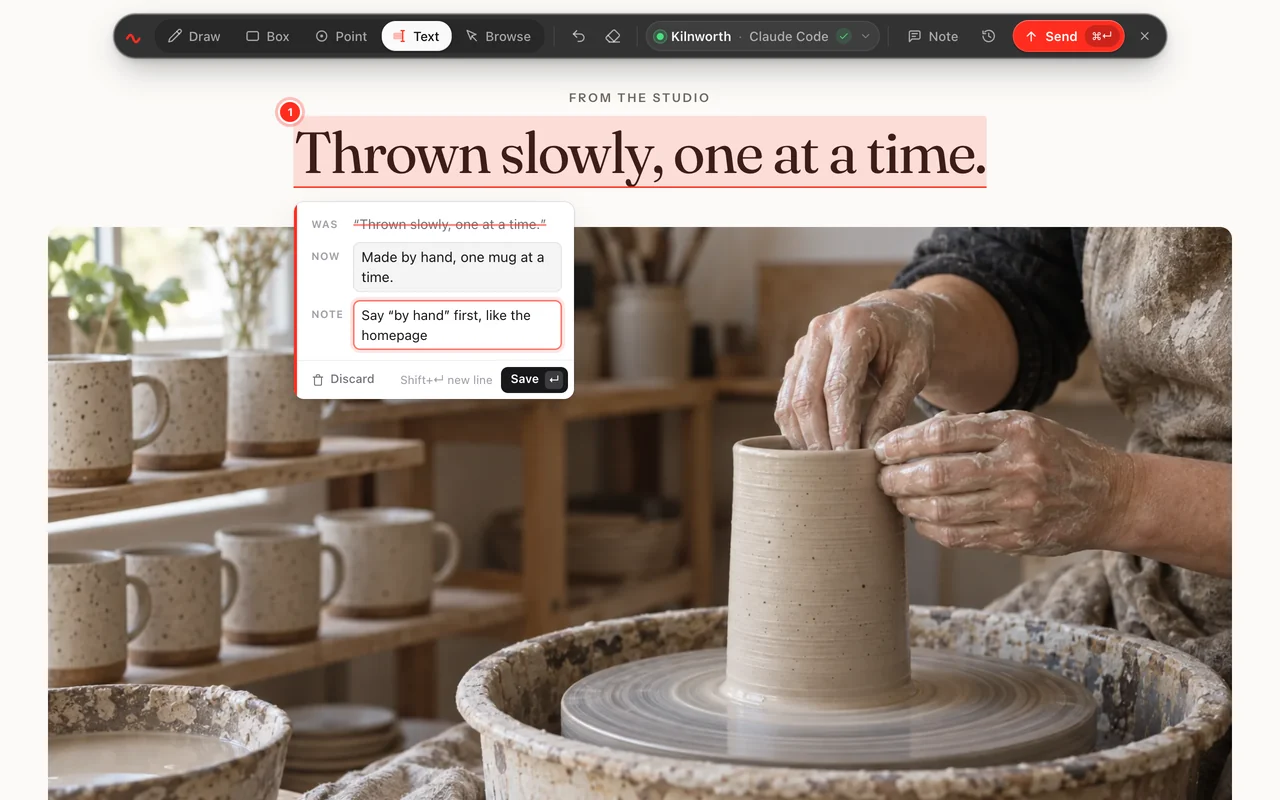
Select words the way you always do
With the Text tool on, the page’s own selection works: drag across words, double-click a word, triple-click a paragraph, or hold Shift and use the arrow keys.
- Links don’t fire while you select. Clicking a link or a button does nothing in Text mode, so you can select the words inside it.
- Pages that block selecting still work. The Text tool makes their words selectable until you switch tools.
- Up to 1000 characters a mark. Spaces at either end are trimmed off.
Was, and Now
A box opens with the words you selected as Was and the same words in Now, ready to edit. Add a note if the developer needs to know why. Leave Now empty to delete the words.
- The label shows the change. On the page and on the screenshot, the words are highlighted and labelled with the new wording, or Delete.
- Approvers can change it too. When a send waits for approval, the approver can edit the new wording before it goes. Approvals
The agent edits that exact copy
It reads Change “Free shipping over $75.” to “Free shipping over $60.”, your note, and up to 40 characters of the page’s text on each side. It replaces exactly those words in the source, whether they are in a template or a translation file.
- Only that place. The agent is told to change only the place you selected, and to leave other places with the same words alone unless your note says otherwise.
- The same in Copy as prompt. Copied for another agent, a text mark reads Change “this” to “that”, or Delete “this”, with its note and the text around it.
Questions
What if the same words appear more than once?
The agent is told to change only the place you selected. The brief gives it the text around your selection and the element it sits in, so it can find that place. Other places are left alone unless your note says otherwise.
Can I delete words instead of changing them?
Yes. Leave Now empty. The developer gets Delete “the words you selected”.
Can I select text inside a form field?
No. Selections inside text boxes and dropdowns are ignored. Mark those with Draw, Box or Point and say what should change.
Can one send mix text changes and other marks?
Yes. Text changes, circles, boxes, pins and a page note can all go in one send, and it counts as one change.
Stop describing it. Circle it.
Your first 10 changes are free. No card needed.