Who it’s for
Clients mark up staging. Your agent makes the change.
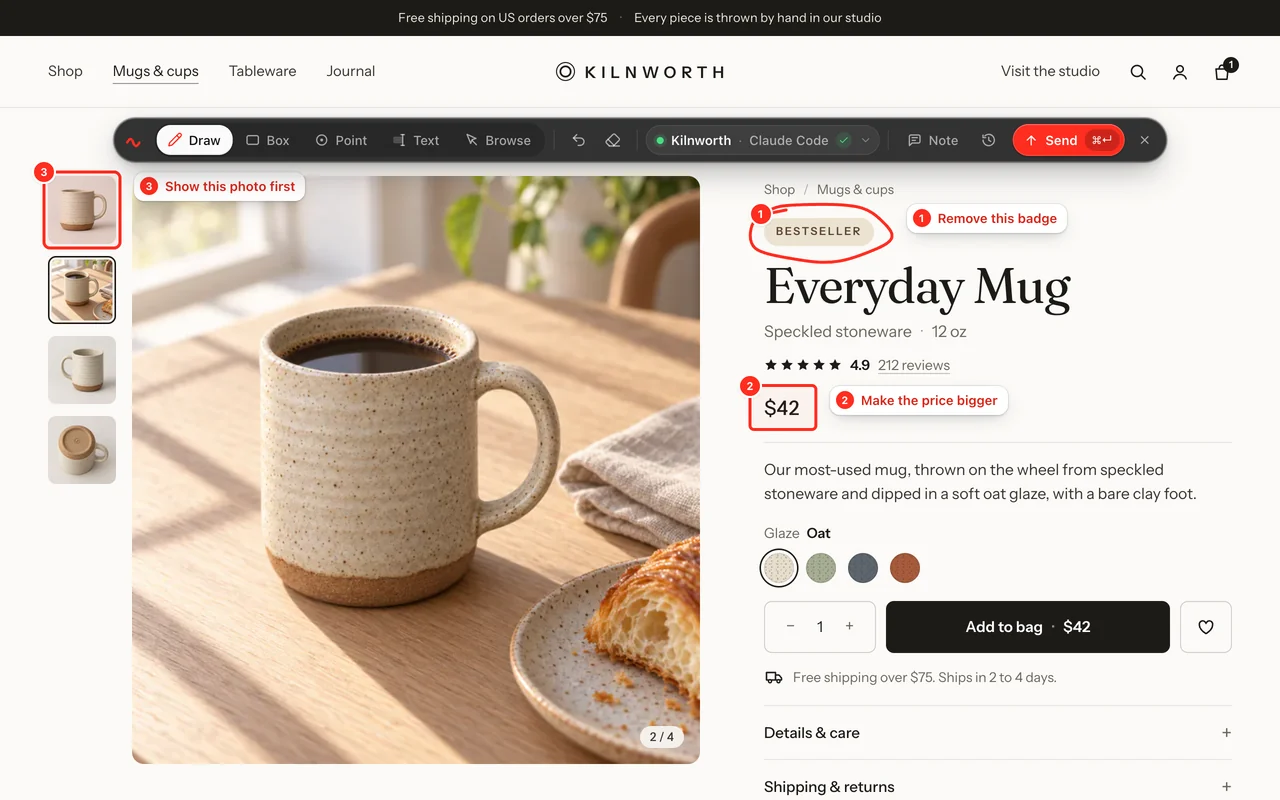
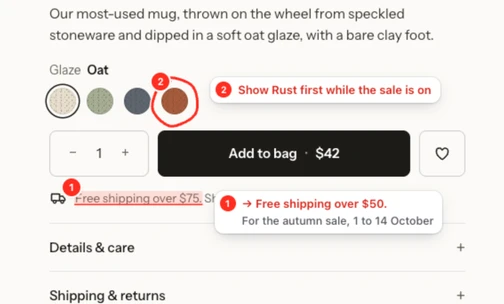
Invite each client to your team. They circle what they want changed on the staging site and press Send. You approve it, and your Claude Code or Codex session makes the change. You pay for developers, never for clients.
-
1The client marks up staging
In their own browser, on the staging site. They need your invitation, a free account and the extension, in Chrome or Edge on a computer.
-
2You approve it
Set the client to Needs approval. You can edit a comment, take a mark out or reject it with a note.
-
3Your agent makes the change
It lands in your Claude Code or Codex session, which makes the change and replies. The client sees Done.

Keep each client to their own sites
Put all your clients in one team and set each of their projects to Only these people. A client sees only their own projects and the feedback on them. You and your approvers see everything.
- The extension knows the site. Each project has the addresses it runs on, staging and live, once you add them on the Projects page. A client’s feedback then goes to the right project without them choosing.
- Each project goes to one developer. A project goes to the first developer whose Claude Code or Codex opens it. Change who on the Projects page with Goes to.
Check it before your agent starts
Set a client to Needs approval and their feedback waits for you. Rewrite a vague comment, take out a mark you don’t want built, or reject it with a note the client sees.
How approval worksClients see where it has got to
The client’s page shows each send move from Sent to Picked up to Being worked on, then Done with your agent’s note. Their Feedback list shows the same in plain words, so they don’t have to email you to ask.
Pay per developer, never per client
Team includes 1 developer, the person whose Claude Code or Codex makes the changes. Add as many clients as you take on: they never change the price.
Compare plansTeam
$25 a month
or $225 a year
- 1 developer included
- Each extra developer $10 a month
- Clients and teammates free, with no limit
- Your first 10 changes free, no card needed
Questions
Can clients see each other’s sites?
Not if you set each project to Only these people. People who can’t see a project don’t see its feedback, and the extension won’t send to it.
What do clients need to install?
The extension, from the Chrome Web Store, in Chrome or Edge on a computer. They don’t need Claude Code, Codex or a terminal.
What does a client cost?
Nothing. You pay for developers, the people who connect Claude Code or Codex. Clients and teammates who send feedback are free.
What if a client sends feedback from the wrong site?
Before it changes any code, the agent checks that the page’s address belongs to the project it is working in. If it doesn’t, it asks the client instead of guessing.
Can freelancers working with us use it?
Yes. Invite them to the team. If they connect Claude Code or Codex they count as a developer; if they only send feedback, they are free.
Stop describing it. Circle it.
Your first 10 changes are free. No card needed.